Project Gallery
Explore Our Simple 4-Step Process in detail
1
/1
100%
Project Overview
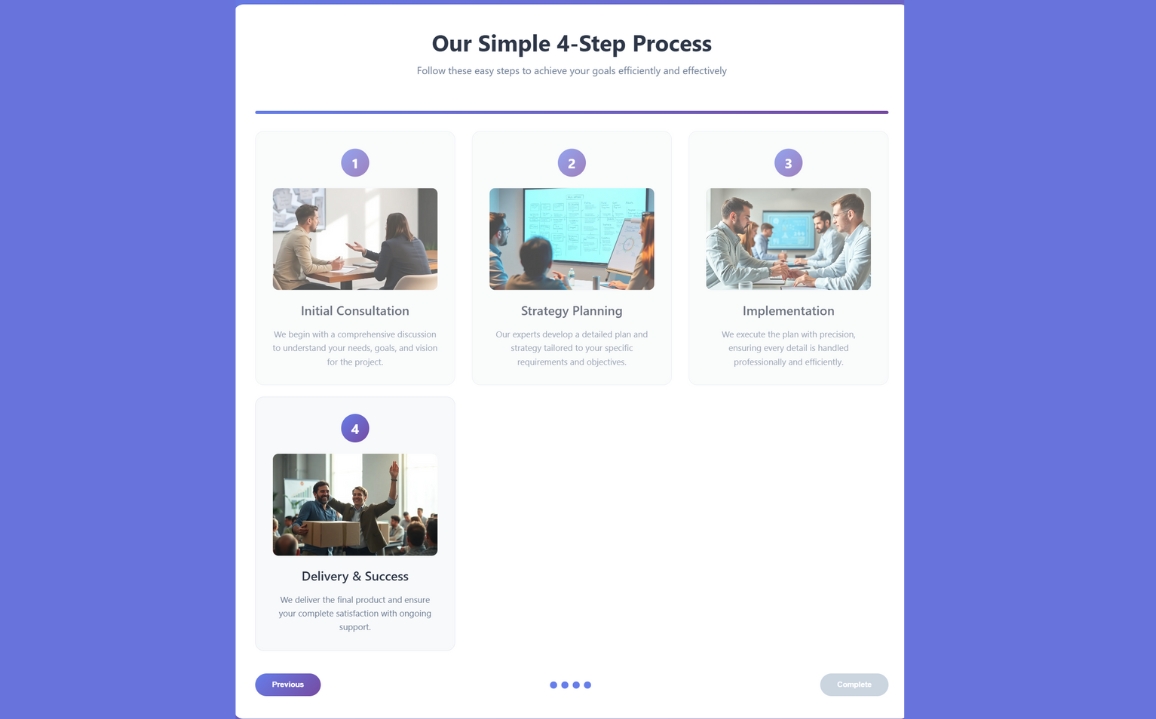
Our Simple 4-Step Process
Project Description
Our Simple 4-Step Process
Improved Aesthetics: Gradient background, semi-transparent cards, and a modern font (Poppins) from Google Fonts.
- Advanced Animations: Hover effects with scaling step numbers and a subtle shine animation on cards.
- Tailwind CSS: Complements Bootstrap for rapid styling and responsive utilities.
- Enhanced Interactivity: JavaScript provides step-specific alerts with tailored messages.
- Responsive Alignment: Bootstrap's grid system ensures perfect alignment across devices, with Tailwind for fine-tuned spacing.
- Visual Polish: Shadows, rounded corners, gradients, and text shadows for a premium look.
HTML
<!DOCTYPE html>
<html lang="en">
<head>
    <meta charset="UTF-8">
    <meta name="viewport" content="width=device-width, initial-scale=1.0">
    <title>4-Step Process | Modern Design</title>

</head>
<body>
    <div class="container">
        <div class="header">
            <h1>Our Simple 4-Step Process</h1>
            <p>Follow these easy steps to achieve your goals efficiently and effectively</p>
        </div>

        <div class="progress-container">
            <div class="progress-bar" id="progressBar"></div>
        </div>

        <div class="steps-container">
            <div class="step-card" data-step="1">
                <div class="step-number">1</div>
                <div class="step-image">
                    <img src="https://storage.googleapis.com/workspace-0f70711f-8b4e-4d94-86f1-2a93ccde5887/image/24c44b0c-e29e-4ed5-9264-1a76c0705049.png" alt="Initial consultation meeting with professionals discussing project requirements and goals" />
                </div>
                <h3 class="step-title">Initial Consultation</h3>
                <p class="step-description">We begin with a comprehensive discussion to understand your needs, goals, and vision for the project.</p>
            </div>

            <div class="step-card" data-step="2">
                <div class="step-number">2</div>
                <div class="step-image">
                    <img src="https://storage.googleapis.com/workspace-0f70711f-8b4e-4d94-86f1-2a93ccde5887/image/0f2b9547-4886-4f94-a347-a2d2f398d02d.png" alt="Strategy planning session with digital wireframes and whiteboard diagrams showing project roadmap" />
                </div>
                <h3 class="step-title">Strategy Planning</h3>
                <p class="step-description">Our experts develop a detailed plan and strategy tailored to your specific requirements and objectives.</p>
            </div>

            <div class="step-card" data-step="3">
                <div class="step-number">3</div>
                <div class="step-image">
                    <img src="https://storage.googleapis.com/workspace-0f70711f-8b4e-4d94-86f1-2a93ccde5887/image/1539f2be-f94c-489c-838f-f99f8bf83c4a.png" alt="Implementation phase with team collaboration and active development of the solution" />
                </div>
                <h3 class="step-title">Implementation</h3>
                <p class="step-description">We execute the plan with precision, ensuring every detail is handled professionally and efficiently.</p>
            </div>

            <div class="step-card" data-step="4">
                <div class="step-number">4</div>
                <div class="step-image">
                    <img src="https://storage.googleapis.com/workspace-0f70711f-8b4e-4d94-86f1-2a93ccde5887/image/a749c515-988f-4438-8810-3d3fe6ce736e.png" alt="Final delivery and success celebration with completed project presentation and satisfied client" />
                </div>
                <h3 class="step-title">Delivery & Success</h3>
                <p class="step-description">We deliver the final product and ensure your complete satisfaction with ongoing support.</p>
            </div>
        </div>

        <div class="navigation">
            <button class="nav-btn" id="prevBtn" disabled>Previous</button>

            <div class="step-indicator">
                <span class="indicator-dot active"></span>
                <span class="indicator-dot"></span>
                <span class="indicator-dot"></span>
                <span class="indicator-dot"></span>
            </div>

            <button class="nav-btn" id="nextBtn">Next</button>
        </div>
    </div>

</body>
</html>
CSS
<style>
        * {
            margin: 0;
            padding: 0;
            box-sizing: border-box;
        }

        body {
            font-family: 'Segoe UI', Tahoma, Geneva, Verdana, sans-serif;
            background: linear-gradient(135deg, #667eea 0%, #764ba2 100%);
            min-height: 100vh;
            padding: 40px 20px;
            color: #333;
        }

        .container {
            max-width: 1200px;
            margin: 0 auto;
            background: white;
            border-radius: 20px;
            box-shadow: 0 20px 40px rgba(0, 0, 0, 0.1);
            overflow: hidden;
            padding: 40px;
        }

        .header {
            text-align: center;
            margin-bottom: 60px;
        }

        .header h1 {
            font-size: 2.5em;
            color: #2d3748;
            margin-bottom: 10px;
            font-weight: 700;
        }

        .header p {
            font-size: 1.1em;
            color: #718096;
            max-width: 600px;
            margin: 0 auto;
        }

        .steps-container {
            display: grid;
            grid-template-columns: repeat(auto-fit, minmax(280px, 1fr));
            gap: 30px;
            margin-bottom: 40px;
        }

        .step-card {
            background: #f8f9fa;
            border-radius: 15px;
            padding: 30px;
            text-align: center;
            transition: all 0.3s ease;
            border: 1px solid #e2e8f0;
            position: relative;
            overflow: hidden;
        }

        .step-card:hover {
            transform: translateY(-5px);
            box-shadow: 0 15px 30px rgba(0, 0, 0, 0.1);
            background: white;
        }

        .step-number {
            width: 50px;
            height: 50px;
            background: linear-gradient(135deg, #667eea 0%, #764ba2 100%);
            color: white;
            border-radius: 50%;
            display: flex;
            align-items: center;
            justify-content: center;
            font-size: 1.5em;
            font-weight: bold;
            margin: 0 auto 20px;
            transition: transform 0.3s ease;
        }

        .step-card:hover .step-number {
            transform: scale(1.1);
        }

        .step-image {
            width: 100%;
            height: 180px;
            border-radius: 10px;
            margin-bottom: 20px;
            overflow: hidden;
            background: #e2e8f0;
        }

        .step-image img {
            width: 100%;
            height: 100%;
            object-fit: cover;
            transition: transform 0.3s ease;
        }

        .step-card:hover .step-image img {
            transform: scale(1.05);
        }

        .step-title {
            font-size: 1.4em;
            font-weight: 600;
            color: #2d3748;
            margin-bottom: 15px;
        }

        .step-description {
            color: #718096;
            line-height: 1.6;
            font-size: 0.95em;
        }

        .progress-container {
            width: 100%;
            background: #e2e8f0;
            height: 6px;
            border-radius: 3px;
            margin: 40px 0 20px;
            overflow: hidden;
        }

        .progress-bar {
            height: 100%;
            background: linear-gradient(135deg, #667eea 0%, #764ba2 100%);
            width: 25%;
            transition: width 0.3s ease;
        }

        .navigation {
            display: flex;
            justify-content: space-between;
            align-items: center;
            margin-top: 30px;
        }

        .nav-btn {
            padding: 12px 30px;
            border: none;
            border-radius: 25px;
            background: linear-gradient(135deg, #667eea 0%, #764ba2 100%);
            color: white;
            font-weight: 600;
            cursor: pointer;
            transition: all 0.3s ease;
        }

        .nav-btn:hover {
            transform: translateY(-2px);
            box-shadow: 0 5px 15px rgba(102, 126, 234, 0.4);
        }

        .nav-btn:disabled {
            background: #cbd5e0;
            cursor: not-allowed;
            transform: none;
            box-shadow: none;
        }

        .step-indicator {
            display: flex;
            justify-content: center;
            align-items: center;
            gap: 10px;
        }

        .indicator-dot {
            width: 10px;
            height: 10px;
            border-radius: 50%;
            background: #cbd5e0;
            transition: all 0.3s ease;
        }

        .indicator-dot.active {
            background: #667eea;
            transform: scale(1.2);
        }

        @media (max-width: 768px) {
            .container {
                padding: 30px 20px;
                margin: 20px;
            }

            .header h1 {
                font-size: 2em;
            }

            .steps-container {
                grid-template-columns: 1fr;
                gap: 20px;
            }

            .step-card {
                padding: 20px;
            }

            .navigation {
                flex-direction: column;
                gap: 15px;
            }
        }

        @media (max-width: 480px) {
            .header h1 {
                font-size: 1.8em;
            }

            .step-title {
                font-size: 1.2em;
            }

            .nav-btn {
                width: 100%;
                padding: 15px;
            }
        }
    </style>
JavaScript
<script>
        let currentStep = 1;
        const totalSteps = 4;
        const progressBar = document.getElementById('progressBar');
        const prevBtn = document.getElementById('prevBtn');
        const nextBtn = document.getElementById('nextBtn');
        const indicatorDots = document.querySelectorAll('.indicator-dot');
        const stepCards = document.querySelectorAll('.step-card');

        function updateProgress() {
            const progress = (currentStep - 1) / (totalSteps - 1) * 100;
            progressBar.style.width = progress + '%';

            // Update button states
            prevBtn.disabled = currentStep === 1;
            nextBtn.disabled = currentStep === totalSteps;
            nextBtn.textContent = currentStep === totalSteps ? 'Complete' : 'Next';

            // Update indicator dots
            indicatorDots.forEach((dot, index) => {
                dot.classList.toggle('active', index < currentStep);
            });

            // Animate step cards
            stepCards.forEach(card => {
                const step = parseInt(card.getAttribute('data-step'));
                if (step === currentStep) {
                    card.style.opacity = '1';
                    card.style.transform = 'translateY(0)';
                } else {
                    card.style.opacity = '0.7';
                    card.style.transform = 'translateY(10px)';
                }
            });
        }

        prevBtn.addEventListener('click', () => {
            if (currentStep > 1) {
                currentStep--;
                updateProgress();
            }
        });

        nextBtn.addEventListener('click', () => {
            if (currentStep < totalSteps) {
                currentStep++;
                updateProgress();
            } else {
                alert('Congratulations! You have completed all steps successfully!');
            }
        });

        // Initialize
        updateProgress();
    </script>